
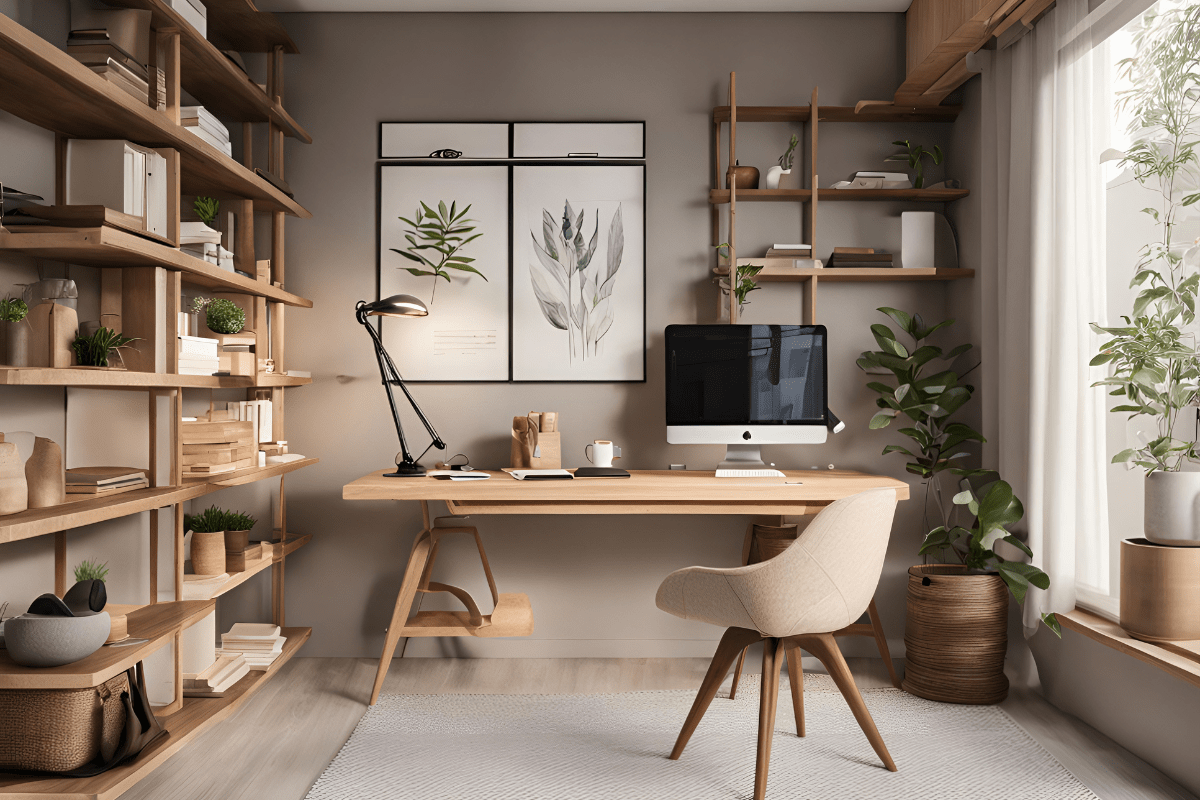
Most home offices are accidentally designed to destroy productivity, with wobbly chairs, cave-like lighting, and "organization systems" that are basically controlled chaos. The good news is that transforming your workspace from a productivity graveyard into an efficiency powerhouse doesn't require a complete overhaul or winning the lottery. Small, strategic changes can make the difference between ending your workday feeling energized or like you've been hit by a truck.
Start with your chair because your back is screaming
Let's be honest… that dining room chair you've been using for the past year isn't doing you any favors. Research shows that the best office furniture brands in 2025 include Herman Miller for ergonomic design, Steelcase for innovative solutions, and Haworth for flexibility. But you don't need to spend your kid's college fund to get decent seating.
Your chair is literally the foundation of everything else you do at your desk. When you're constantly shifting around trying to find a comfortable position, your brain isn't focused on work… it's focused on the fact that your lower back feels like it's staging a revolt.
The chairs that actually work
The Herman Miller Aeron is like the iPhone of office chairs. Everyone talks about it, it costs way more than you want to spend, but people who have one swear by it. If you can find a used one for $300-400, grab it. The Steelcase Leap V2 is another solid choice that won't require you to sell a kidney.
For those of us living in the real world where budgets exist, the Corsair TC100 Relaxed gaming chair might sound weird for an office, but it has clean lines and comes in professional colors. Plus, it's built to handle long gaming sessions, so it can definitely handle your Zoom marathon days.
Here's what to look for in any chair:
- Adjustable lumbar support
- 4D armrests (up, down, in, out)
- Breathable mesh backing
- Proper weight capacity
- Seat depth adjustment
Your elbows should form 90-degree angles when typing, and there should be about 2-3 inches between the back of your knees and the chair edge. If your feet don't touch the floor, get a footrest. Your future self will thank you.
Fix your lighting before you go completely insane
Here's something that might blow your mind… studies show that employees exposed to natural light in offices reported an 84% drop in eye strain, headaches, and blurred vision. Meanwhile, 68% of office workers complain about their lighting situation.
Bad lighting isn't just annoying. It's actively sabotaging your ability to think clearly. When your brain is working overtime to compensate for dim or harsh lighting, it's using energy that could be going toward actual work.
The science of not feeling terrible
Research from the Illuminating Engineering Society indicates that implementing Human-Centric Lighting can improve mood and productivity by up to 20%. That's not a small number… that's the difference between a mediocre day and a really good one.
Color temperature matters more than you think. Cool white light (4000K-5000K) is perfect for focused work and detailed tasks. It's like coffee for your eyeballs. Warm white (2700K-3000K) is better for winding down, but it'll make you feel sleepy during work hours.
The three-layer approach that actually works
Good lighting isn't just one bright bulb hanging from the ceiling like you're interrogating a suspect. You need three types working together:
Ambient lighting fills the room with general illumination. LED ceiling panels that simulate natural sunlight are game-changers, especially if you're stuck in a windowless room. Recessed downlights work too, just make sure they're not creating harsh shadows.
Task lighting is your focused work light. A decent adjustable desk lamp with brightness and color control will run you about $26 for something like the SKYLEO LED model. Monitor light bars like the BenQ ScreenBar eliminate that annoying screen glare that makes you squint all day.
Accent lighting adds depth and reduces harsh contrasts. Floor lamps that bounce light off the ceiling, LED strips behind your monitor, or even some strategically placed wall sconces can make your space feel less like a sterile office and more like somewhere you actually want to spend time.
If you have windows, position your desk perpendicular to them instead of facing them directly. You'll get the benefits of natural light without the glare that turns your screen into a mirror.
Get organized or stay overwhelmed forever
A messy desk isn't just visually distracting… it's mentally exhausting. Studies confirm that organized spaces directly impact focus and productivity. When everything has a place, your brain doesn't have to work as hard to process your environment.
The trick is creating systems that actually stick instead of organizing everything perfectly once and then watching it slowly devolve back into chaos over the next three weeks.
The three-zone method that makes sense
Zone 1 is your desktop. Only current project materials live here, plus one notebook, 2-3 pens maximum, and your coffee. That's it. Everything else goes somewhere else.
Zone 2 is within arm's reach… your desk drawers and nearby shelves. This is for frequently used supplies, reference materials for current projects, charging cables, and backup supplies. Stuff you need regularly but not constantly.
Zone 3 is your archive area. Filing cabinets, distant shelves, completed project files, reference books, and equipment boxes. Things you need occasionally but not every day.
The magic happens when you actually stick to these zones instead of letting everything migrate to Zone 1 and create desktop chaos.
Storage solutions that don't break the bank
Vertical storage is your best friend, especially in small spaces. IKEA's IVAR shelving system is customizable and won't cost you a fortune. For something more professional-looking, the Steelcase Universal Wall Rail system is modular and grows with your needs.
Cable management might seem like a small thing, but tangled wires are visual noise that your brain has to process. The IKEA SIGNUM cable tray costs about $15 and mounts under your desk to hide the wire spaghetti. Velcro cable ties are reusable and adjustable for when you inevitably need to add or remove something.
For small spaces under 50 square feet, think vertical and multi-functional. Wall-mounted fold-down desks save floor space when not in use. Storage ottomans give you somewhere to sit during video calls while hiding office supplies.
Set up your tech to work with you, not against you
The right technology setup can transform your productivity, but the wrong one will have you troubleshooting instead of working. Multi-screen setups make multitasking easier and more efficient because you can have code on one screen, data on another, and design tools open simultaneously instead of constantly switching between tabs.
Your computer needs at least 16GB of RAM and SSD storage to handle modern work without making you want to throw it out the window. If you do visual work, invest in dedicated graphics. For everyone else, focus on reliability over raw power.
The connectivity that keeps you sane
Nothing kills productivity quite like a video call that keeps freezing or files that take forever to upload. A mesh WiFi system like the Eero Pro 6E ensures reliable coverage throughout your home. For important calls and large file transfers, run an ethernet cable directly to your workspace if possible.
A good USB-C hub like the Anker PowerExpand turns your laptop into a desktop powerhouse with a single cable connection. No more plugging and unplugging five different things every time you want to work somewhere else.
For audio and video equipment, the Logitech C920 webcam is the gold standard for a reason. The Blue Yeti microphone makes you sound professional on calls without requiring a broadcasting degree. Noise-canceling headphones like the Sony WH-1000XM4 are worth every penny if you deal with distractions or share your space with other humans.
Smart automation that actually helps
Smart home integration doesn't have to be complicated or expensive. A smart thermostat maintaining 68-72°F keeps your brain functioning optimally without you thinking about it. Smart plugs can automate your desk lamp to follow your circadian rhythm.
Voice assistants are surprisingly useful for hands-free calendar management and setting work timers. Just ask Alexa or Google to start a 25-minute focus session while your hands stay on the keyboard.
Use color psychology without going overboard
Colors affect your mood and cognitive performance more than you might realize. Blue tones enhance focus and mental clarity, which is why so many offices use blue accents. A navy blue accent wall behind your monitor can actually reduce eye strain.
Green reduces eye strain and promotes balance, making it perfect for long work sessions. This is where plants earn their keep beyond just looking nice. Sage green walls create a calming atmosphere without being distracting.
Plants that won't die on you
Biophilic design research shows it cuts down stress and boosts well-being. But let's be realistic… you probably don't have a green thumb, and that's okay.
Snake plants tolerate low light and neglect like champions. Pothos are trailing vines perfect for shelving that grow in basically any conditions. ZZ plants are extremely drought tolerant, which means you can forget to water them for weeks and they'll forgive you.
Peace lilies are elegant and purify the air, plus they'll dramatically wilt when they need water, so you can't miss the signs. Rubber trees make great statement plants for corners and can handle less-than-perfect care.
Keep it simple with natural materials:
- Bamboo desktop accessories
- Reclaimed wood floating shelves
- Stone or ceramic planters
- Hemp or jute area rugs
Energizing accents like yellow and orange work well in small doses. Yellow desk accessories can boost optimism and creativity, but don't paint your entire office yellow unless you want to feel like you're working inside a highlighter.
Manage noise or lose your mind
Acoustic solutions have become increasingly important as more people work from home and deal with household distractions. Noise pollution isn't just annoying… it fragments your attention and makes deep work nearly impossible.
Soft furnishings are your first line of defense. Heavy curtains absorb sound waves, area rugs reduce footstep noise, and upholstered furniture minimizes hard surface reflections. These solutions also make your space feel more comfortable and less like a sterile office.
Professional solutions for serious problems
If you're dealing with persistent noise issues, 2-inch thick acoustic foam panels on the walls behind your desk make a noticeable difference. Corner bass traps manage low-frequency noise that regular panels miss.
For temporary solutions or shared spaces, acoustic blankets can be hung up when you need quiet and taken down when you don't. They're not pretty, but they work.
Technology that blocks out the world
Active noise cancellation is a game-changer if you can't control your environment. The Sony WH-1000XM4 headphones are industry leaders for a reason. The Bose QuietComfort 45 are more comfortable for all-day wear if you have a bigger head.
For video calls, software solutions like the Krisp app use AI to eliminate background noise in real-time. Your colleagues won't hear your neighbor's leaf blower or your dog's commentary on the mail carrier.
White noise machines like the Marpac Dohm provide consistent background sound that masks irregular noises. Your brain adapts to the steady sound and stops noticing it, but sudden noises become less jarring.
Budget your upgrades without going broke
You don't need to renovate your entire office overnight. A phased approach lets you see what makes the biggest difference before investing in more expensive upgrades.
Phase one: the essentials ($200-500)
Start with a used Herman Miller Aeron for $300-400 if you can find one. Add an adjustable LED desk lamp for $50-75, a monitor stand or arm for $30-80, and basic organization supplies for $40-60. These four things will immediately improve your comfort and productivity.
Phase two: comfort and efficiency ($500-1,000)
A standing desk converter or full standing desk runs $200-600 depending on what you choose. A second monitor for dual-screen setup costs $150-300 and pays for itself in productivity gains. Quality noise-canceling headphones are $200-350, and an air purifier for better indoor air quality is $100-200.
Phase three: advanced optimization ($1,000+)
This is where you buy the premium ergonomic chair new, invest in a smart lighting system with automated scheduling, add professional acoustic treatment, and consider custom storage solutions.
DIY solutions that actually work
Monitor risers made from stacked hardcover books achieve proper screen height for free. Binder clips attached to your desk edge organize cables without buying special cable management systems.
Thick blankets provide temporary acoustic treatment for important calls. Sturdy cardboard boxes can elevate your laptop for standing work while you decide if you want to invest in a real standing desk.
Plan your space like you mean it
Different spaces require different approaches, but the principles remain the same. Small spaces under 50 square feet need vertical solutions and multi-functional furniture. Large spaces over 100 square feet can be divided into zones for different activities.
Small space solutions that work
Wall-mounted fold-down desks disappear when not in use. Floor-to-ceiling shelving units maximize vertical storage without eating floor space. Multi-functional furniture like storage ottomans or desks with built-in filing serve double duty.
Corner desk setups utilize two walls efficiently. Floating desks under windows take advantage of natural light. Closet office conversions with sliding doors can be hidden when work is done.
Large space zone planning
Primary work zones need your desk, chair, and immediate storage. Meeting or collaboration areas benefit from a separate table or comfortable seating for video calls. Relaxation zones with comfortable seating give you somewhere to think or take breaks. Archive areas keep reference materials accessible but out of the way.
Maintain at least 36-inch pathways between furniture so you don't feel cramped. Clear sight lines to windows and doors keep the space feeling open.
Take care of your body while you work
The 20-20-20 rule isn't just eye doctor advice… it's productivity protection. Every 20 minutes, look at something 20 feet away for 20 seconds. This gives your eye muscles a break and helps prevent the afternoon brain fog that comes from staring at screens too long.
Hourly movement matters more than you think. Stand and stretch for even 30 seconds every hour. Your circulation, posture, and mental clarity will all improve.
Active workspace additions
Balance boards engage your core muscles while standing at your desk. Under-desk ellipticals provide gentle movement during calls or reading sessions. Adjustable footrests promote circulation and reduce leg strain.
Air quality affects cognitive performance more than most people realize. Position an air purifier near your workspace, maintain 40-60% humidity for comfort and health, and open windows when possible for fresh air circulation.
Actually implement instead of just planning
Week one is assessment and planning. Measure your space, identify what's driving you crazy, set a realistic budget, and order your essential ergonomic furniture. Clear and organize your existing workspace while you wait for deliveries.
Week two is foundation setup. Install your new desk and chair, adjust everything for proper ergonomics, set up basic lighting with a desk lamp, and optimize natural light. Implement cable management and basic organization systems. Test and adjust monitor positioning until it feels right.
Week three adds enhancements. Add plants and biophilic design elements, install additional lighting layers for ambient and accent lighting, set up noise management solutions, and configure your technology for maximum efficiency.
Week four is fine-tuning. Make final adjustments based on how you actually use the space, establish daily and weekly maintenance routines, document what works for future reference, and plan your next phase of improvements.
The key is starting with fundamentals and building up gradually instead of trying to create the perfect office all at once. Pay attention to what actually improves your daily work experience rather than what looks good on Pinterest. Your home office should work for your life, not the other way around.